Skip to navigation Skip to content
  • Blog
  • About
Geeks On Command Logo - An illustration of a Computer Repair Technician Popping Out from a Laptop Screen Holding a Wrench with the text: Geeks On Command Computer Repair Services

Geeks On Command Computer Repair Services

RSAG Accredited. USA Techs. Since 2009.

  • Computer Services
    • In Home Computer Help
    • Online Computer Help (USA Techs)
    • Small Business IT Support
    • Data Recovery
    • All Services
      • Virus Removal Service
      • PC Tune Up
      • Data Migration Services
      • Email Support Service
      • Fix Windows Errors
      • Private Computer Lessons
      • Computer Security Service
      • PC Assembly Service
      • RAM Upgrade Service
      • Software Support Services
      • Hard Drive Upgrade Service
      • PC Setup Service
      • Business Phone Services
      • Tech Support Services
      • Fix Windows Update Errors
      • Smart Device Support
      • Internet Browser Repair
      • Home Network Setup
      • Data Backup Service
      • Password Services
      • Mobile Device Support
      • Printer Tech Support
  • Computer Lessons
  • Learn More
    • About Us
    • 30-Day Service Guarantee
    • Customer Reviews
    • FAQs
    • Blog
    • Press
    • Helpful Resources
    • About the Owner: Robert Cedar
  • Contact
(201) 400-0936
Geeks On Command Logo - An illustration of a Computer Repair Technician Popping Out from a Laptop Screen Holding a Wrench with the text: Geeks On Command Computer Repair Services

Geeks On Command Computer Repair Services

RSAG Accredited. USA Techs. Since 2009.

(201) 400-0936
  • Computer Services
    • In Home Computer Help
    • Online Computer Help (USA Techs)
    • Small Business IT Support
    • Data Recovery
    • All Services
      • Virus Removal Service
      • PC Tune Up
      • Data Migration Services
      • Email Support Service
      • Fix Windows Errors
      • Private Computer Lessons
      • Computer Security Service
      • PC Assembly Service
      • RAM Upgrade Service
      • Software Support Services
      • Hard Drive Upgrade Service
      • PC Setup Service
      • Business Phone Services
      • Tech Support Services
      • Fix Windows Update Errors
      • Smart Device Support
      • Internet Browser Repair
      • Home Network Setup
      • Data Backup Service
      • Password Services
      • Mobile Device Support
      • Printer Tech Support
  • Computer Lessons
  • Learn More
    • About Us
    • 30-Day Service Guarantee
    • Customer Reviews
    • FAQs
    • Blog
    • Press
    • Helpful Resources
    • About the Owner: Robert Cedar
  • Contact

Author: Robert Cedar

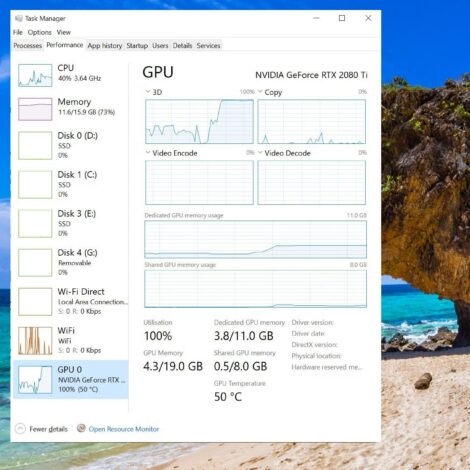
Windows 11 Task Manager window used to monitor system performance
28 Oct

How to Use Task Manager to Monitor System Performance

Mastering Windows Task Manager: Your System Performance Control Center Need to understand why your computer is running slowly? The Windows Task Manager is your built-in diagnostic tool for monitoring and managing system resources. Let's explore how to use this powerful utility effectively to keep your computer running smoothly. Opening Task Manager There are several ways [...]
An article by Robert Cedar Posted in Speed Up & Maintain Your PC
an illustration of a computer with a speed gauge on it pinned at fast
27 Oct

Steps to Speed Up Startup and Boot Times in Windows

Make Your Windows PC Boot Faster: Expert Tips & Solutions Tired of waiting for your computer to start up? A slow-booting PC can waste valuable time, but there are several proven ways to significantly reduce your startup time. Let's explore specific steps to get your system running faster. 1. Manage Startup Programs The most effective [...]
An article by Robert Cedar Posted in Speed Up & Maintain Your PC